Organize jobsite photos and link them to drawing sheets October 2026
Find out how to organize construction photos, link them to drawing sheets, and protect against change order disputes and claims (October 2026).
Think about the last time a sub disputed work that was already concealed. The photo existed, somewhere. But finding it meant hunting across camera rolls, text threads, and shared drives with no timestamps, no location data, and no link to a drawing sheet. Getting ahead of that problem is simpler than it sounds if you set the right structure before the photos start piling up.
TLDR:
-
Construction professionals spend an average of 13 hours per week looking for project data, per Autodesk's 2025 Spotlight on Construction report.
-
Photograph anything that will be covered or buried: footings before backfill, MEP rough-ins before drywall, and conditions at closeout.
-
Pinning photos to drawing sheets turns a loose image into a locatable record anyone can find without knowing who took it.
-
Timestamped, geotagged photos tied to a drawing location are your clearest defense on change order disputes and defect claims.
-
Constructable tags photos directly to drawing sheets via comment hyperlinks, auto-populates a Daily Log Photos album, and surfaces untagged shots through a plain-language query across the full project record.
Why scattered jobsite photos cost more than they save
A photo taken on a jobsite rarely lives where it should. It sits in a super's camera roll, gets texted to a foreman, then buried under three hundred other shots by Friday. Nobody labeled it. Nobody tied it to a sheet or a location. Weeks later, when a sub disputes what the framing looked like before drywall went up, the photo exists somewhere, but finding it means scrolling through thousands of images across half a dozen phones.
That hunt has a real cost. According to Autodesk's 2025 State of Design & Make: Spotlight on Construction report, construction professionals spend an average of 13 hours per week looking for project data. On a crew of five, that is more than a full workday every week spent searching instead of building.
The problem is structural. Photos scattered across personal devices carry no context, no reliable way to retrieve them, and no link back to the drawings or logs they document.
What to photograph and when
The rule of thumb almost every seasoned super lands on: photograph anything that will be covered, buried, or torn out later. Some shots are nice to have. Others are the only proof that ever existed. Capture happens across three phases, and each one answers a different question down the line.
Before work starts
Document the site as you found it: existing structures, neighboring properties, utility locations, grading, and any pre-existing damage. That baseline pairs with a solid drawing management system to fix location in context. These become your baseline when an owner or adjacent property claims your crew caused something that was already there.
During active construction
This is where the most valuable photos live, because most of what you build gets hidden. Shoot:
-
Foundations and footings before backfill
-
Rebar placement and structural connections before concrete or enclosure
-
MEP rough-ins before drywall closes the walls
-
Waterproofing, flashing, and insulation before finishes go on
Once a wall closes, the only record of what is behind it is the photo you took. Capture the work, the surrounding context, and enough of a landmark that anyone can tell which room or level they are looking at.
At closeout
Final conditions, completed installations, and punch list resolutions. These support warranty claims, feed the owner's turnover package, and settle disputes about what was delivered.
How to build an album and folder structure that holds up
The structure you set up before a project starts decides whether you can find anything two years later. Ad-hoc organization works fine at fifty photos. At five thousand, "IMG_4471" tells you nothing, and albums named by whoever happened to create them fall apart the moment a second person uploads.
A convention that holds up picks one primary axis and stays consistent. Most teams organize by location or by phase, then layer trade underneath. The point is that anyone on the project can predict where a photo lives without asking.
A naming convention that scales
| Element | Example | Why it helps |
|---|---|---|
| Location first | Level 2 - East Wing | Matches how crews already talk |
| Phase or milestone | Rough-in, Closeout | Groups shots by what question they answer |
| Trade | Electrical, Plumbing | Filters fast during disputes |
Keep the format identical across every album. "Level 2 - Electrical Rough-in" beats a folder someone labeled "upstairs elec."
Metadata does the work naming cannot. Capture date, upload date, and uploader identity turn a loose image into a retrievable record, and that same capability is central to choosing the right drawing management software for your workflow. If your system strips that data or leaves it unlabeled, you lose the one thing that makes a photo defensible: proof of when it was taken and by whom.
Tying photos to drawing sheets
A folder full of rebar shots tells you a wall was poured. It does not tell you which wall. That gap matters, because the person who took the photo and knew exactly where it belonged will not be on the project forever.
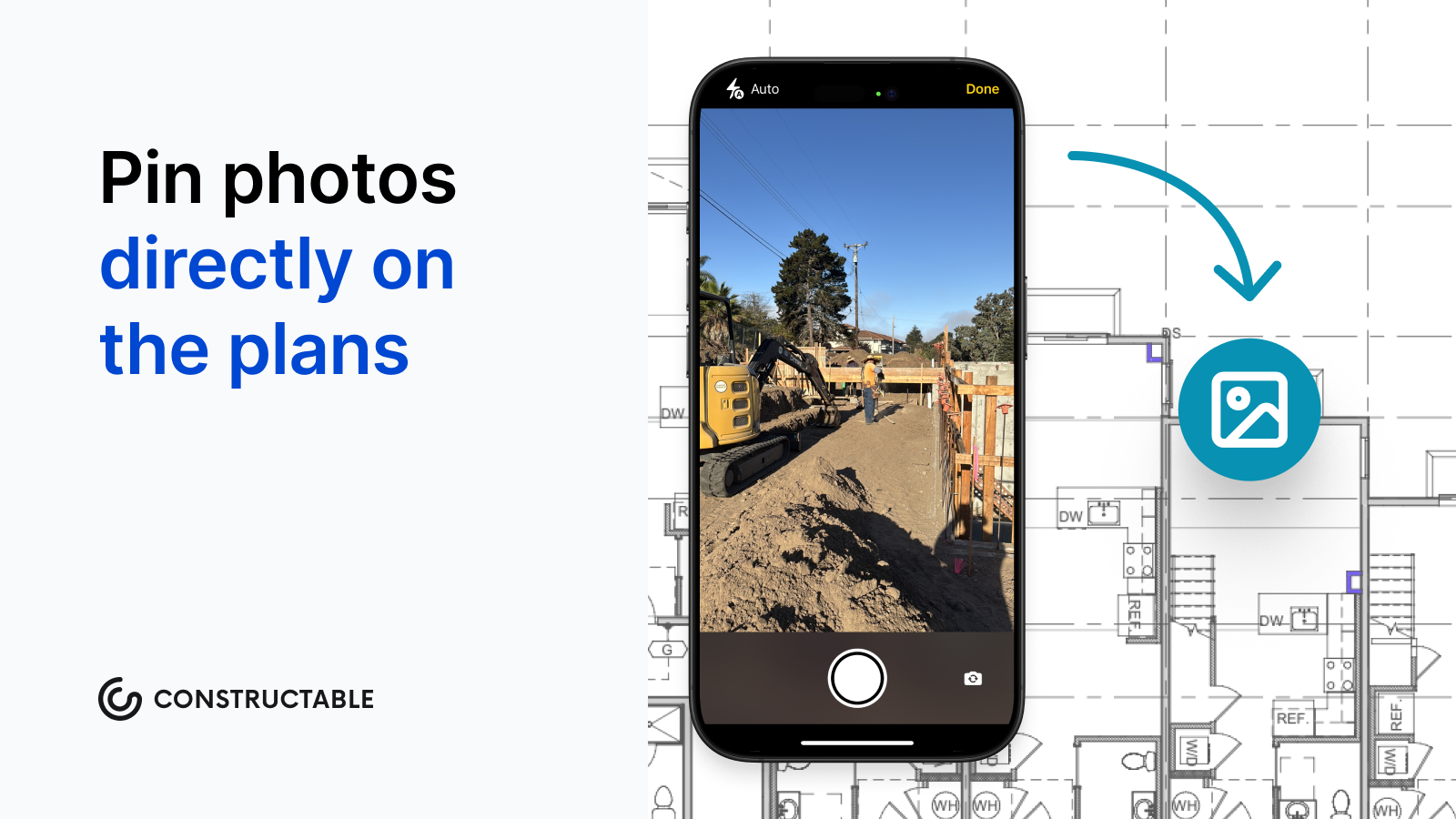
Pinning a photo to a spot on the drawing closes that gap. The image stops being a loose picture and becomes a record anyone can place, because the sheet itself supplies the location: grid line, room, elevation. That specificity is the foundation of drawing-centric collaboration workflows.
When a question comes up about the third-floor slab, you open the sheet and the photos are already there. No one has to remember which "IMG" is which, and no one has to walk the site to make sense of what they are looking at. Strip the drawing link away and the photo goes undiscoverable the day its author moves on.
Must-have features in a construction photo documentation app
Before comparing apps, it helps to know what actually matters in the field versus what looks good in a demo. The features below separate a tool you can trust two years from now from one that quietly loses the record you need.
-
Automatic timestamps and geotag data on every shot, so location and time travel with the image.
-
A clear split between captured-on and uploaded-on dates. A photo shot Tuesday and uploaded Friday needs both, because the day it was taken is the fact that settles disputes.
-
Offline capture with auto-sync. Concrete structures and remote sites kill cell service, and the app should hold photos until it reconnects.
-
Bulk download and export, including PDF, so you can hand off a set without dragging files one at a time.
-
Commenting and tagging teammates directly on a photo, keeping the conversation attached to the image instead of scattered across texts, which overlaps with what the best markup software tools support.
-
Links from photos to daily logs, RFIs, and quality items, so a single shot ties back to the record it documents.
-
Real search that surfaces a photo by date, location, or content, not endless scrolling.
Standalone photo apps vs. integrated construction systems
The split depends on what the photos need to do. Standalone capture apps like SiteCam and CompanyCam are built around the shot first: fast capture, quick tagging, easy sharing. They shine when photo documentation is the main event and the crew wants a phone app that works without training. Most offer free tiers, which suits small teams, solo operators, and single-trade contractors who need a clean record without paying for workflows they will never open.
Integrated construction systems treat photos as one part of the project record. A shot lives next to the daily log it belongs to, the RFI it answers, or the quality item it closes, which is the kind of field management that keeps crews building instead of searching. That matters when you need to pull a photo by what it documents, and not simply by the date it was taken.
| If your primary need is | Better fit |
|---|---|
| Fast capture, sharing, single trade | Standalone photo app, often free |
| Photos tied to logs, RFIs, and drawings | Integrated system |
Neither wins outright. The right pick depends on whether photos are the deliverable or one thread in a larger project history.
How photos protect against disputes, change orders, and claims
A photo record earns its keep the day a claim lands on your desk. HKA's CRUX 2025 Insight Report analyzed more than 2,200 construction and engineering projects across 114 countries and found that sums in dispute averaged 33.4% of contract budgets, while contractors' time extension claims amounted to 65.8% of planned schedules. Those projects skew toward large capital work, so read the numbers as a gauge of what is at stake in a dispute, not a forecast for your job. A timestamped, geotagged image pinned to a drawing location is hard to argue with, because it fixes what existed, where, and when.
That audit trail does three jobs at once:
-
On a differing site condition claim, the preconstruction survey shows what the ground looked like before your crew touched it, and that is why jobsite photo and video documentation keeps the office in sync with field reality.
-
On a change order dispute, dated shots of the added scope tie the cost to work that actually happened.
-
On defect liability, a photo of concealed work before it was buried settles what went in behind the wall.
Without that record, the argument comes down to who remembers better. With it, the sheet and the shot answer for you.
How Constructable connects photos to drawings and project records
Our Photos tool lives inside Field Tools, right below Drawings, and it inherits the drawings-first architecture the rest of Constructable runs on. Tag a photo to a specific sheet directly in a comment, and that tag becomes a hyperlink that opens the sheet in the Drawing Viewer. The loose picture problem covered earlier goes away, because the photo now points back to its exact location on the plan.
Every photo captures three fields automatically:
-
Captured on: when the shot was originally taken
-
Uploaded on: when it entered the system
-
Uploaded by: which team member added it
Those labels are explicit, so the Tuesday-shot, Friday-uploaded confusion never surfaces.
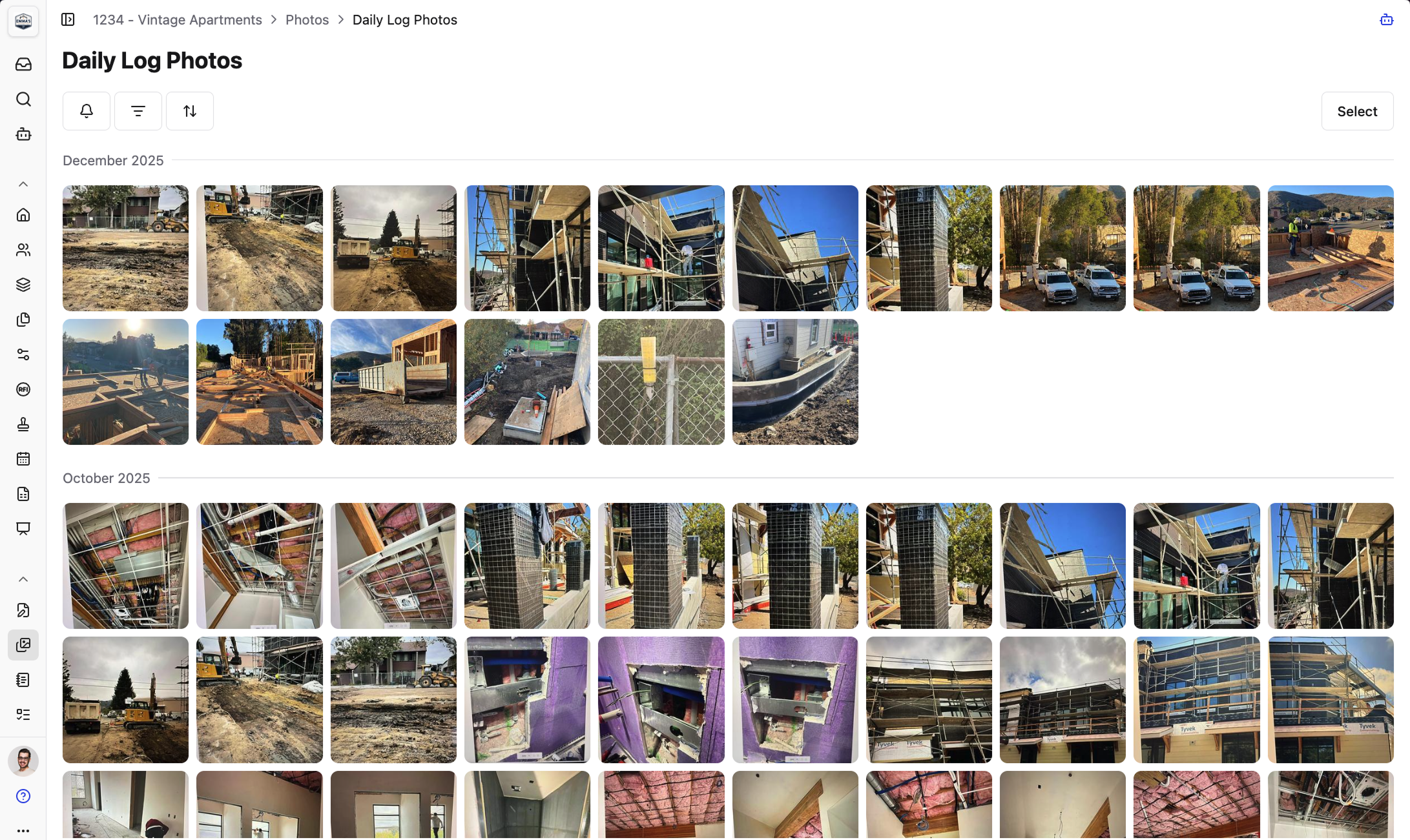
The Daily Log Photos album auto-populates whenever media is added to a daily log, and it cannot be manually edited or deleted, which keeps that record structurally clean. Bulk actions cover download, delete, export to PDF at four photos per page, copy to album, and move to album, with notification controls set per album.
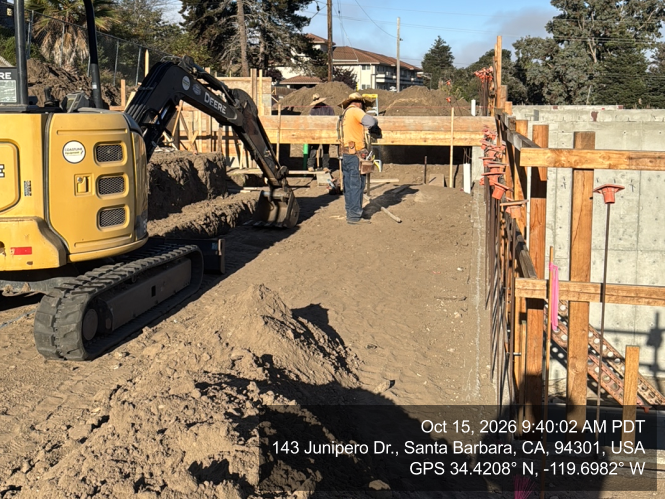
For evidentiary work, a photo overlay watermarks field shots with geotag coordinates and a date and timestamp.
And when a photo was never tagged at all, the AI Answer Engine surfaces it through a plain-language query across the full project record, solving what amounts to an AI-powered construction document search problem, with every answer linking to the original source for verification.
Final thoughts on building a photo documentation system that holds up
The photos that matter most are the ones behind the drywall, under the slab, and buried in the backfill, and those are the shots you only get once. Setting up a clear structure from day one means you can find any image fast when a claim lands, a change order gets disputed, or an owner asks what went in behind that wall. Constructable connects those photos directly to your drawings and project records, so the answer is already waiting when you need it.
FAQ
What should I photograph on a jobsite to protect against change order disputes and defect claims?
Focus on anything that gets covered, buried, or removed: foundations before backfill, rebar before concrete, MEP rough-ins before drywall, and waterproofing before finishes. A timestamped, geotagged image pinned to a drawing location fixes what existed, where, and when, turning a he-said-she-said dispute into a documented record that speaks for itself.
SiteCam vs. Constructable for construction photo documentation: which fits a commercial GC better?
SiteCam and similar standalone job site photo apps are built around fast capture and sharing, which suits single-trade contractors or small teams who need a clean photo record without paying for workflows they won't use. For a commercial GC managing RFIs, daily logs, and drawings across multiple subs, an integrated system ties each photo to the log entry, quality item, or sheet it actually documents, so you can retrieve a shot by what it proves and not merely by when it was taken.
How do I organize construction photos so they're still findable two years later?
Pick one primary axis (location or phase) and layer trade underneath, then keep the format identical across every album (e.g., "Level 2 - Electrical Rough-in"). Consistent naming combined with automatic metadata capture (captured-on date, uploaded-on date, uploader identity) gives you a retrievable record that holds up even after the crew who took the photos has moved on to the next job.
What's the difference between captured-on and uploaded-on dates in a photo documentation app, and why does it matter in construction?
The captured-on date records when the photo was actually taken; the uploaded-on date records when it entered the system. A photo shot Tuesday and uploaded Friday carries both dates as separate, explicit fields, because the day it was taken is the fact that settles a dispute, not the day someone got around to syncing their phone. Apps that collapse these into one timestamp quietly destroy the evidentiary chain.
Can I find an untagged construction photo without scrolling through thousands of images?
In Constructable, yes. The AI Answer Engine accepts a plain-language query across the full project record and surfaces photos even if they were never manually tagged, with every result linking directly to the original source for verification. Without that kind of search, an untagged photo is effectively lost the day the person who took it leaves the project.